What's taking up my time
My SSL Certificate wouldn't update.
There are so many things I could write about. But things come up, and challenges offer learning opportunities. Anyway, my site broke today, and this is about how I got it working (with gratitude towards people I don't know).
I was getting the following error:
Encountered exception during recovery:
Traceback (most recent call last):
  File "/usr/lib/python3/dist-packages/certbot/auth_handler.py", line 75, in handle_authorizations
    resp = self._solve_challenges(aauthzrs)
  File "/usr/lib/python3/dist-packages/certbot/auth_handler.py", line 126, in _solve_challenges
    resp = self.auth.perform(all_achalls)
  File "/usr/lib/python3/dist-packages/certbot_nginx/configurator.py", line 1048, in perform
    self.restart()
  File "/usr/lib/python3/dist-packages/certbot_nginx/configurator.py", line 858, in restart
    nginx_restart(self.conf('ctl'), self.nginx_conf)
  File "/usr/lib/python3/dist-packages/certbot_nginx/configurator.py", line 1118, in nginx_restart
    "nginx restart failed:n%sn%s" % (out.read(), err.read()))
certbot.errors.MisconfigurationError: nginx restart failed:
b''
b''
During handling of the above exception, another exception occurred...
While this wasn't how I expected to spend lunchtime, I had to deal with it.
I clipped part of the error and googled it. One suggestion was to stop nginx. So, in terminal, after stopping nginx, it wouldn't restart.
After a bit more searching, my next thought was to check Skype to see Ángel could screenshare with me. He wasn't online. And in another few minutes, and after learning more about issues people have questions with, I found this:
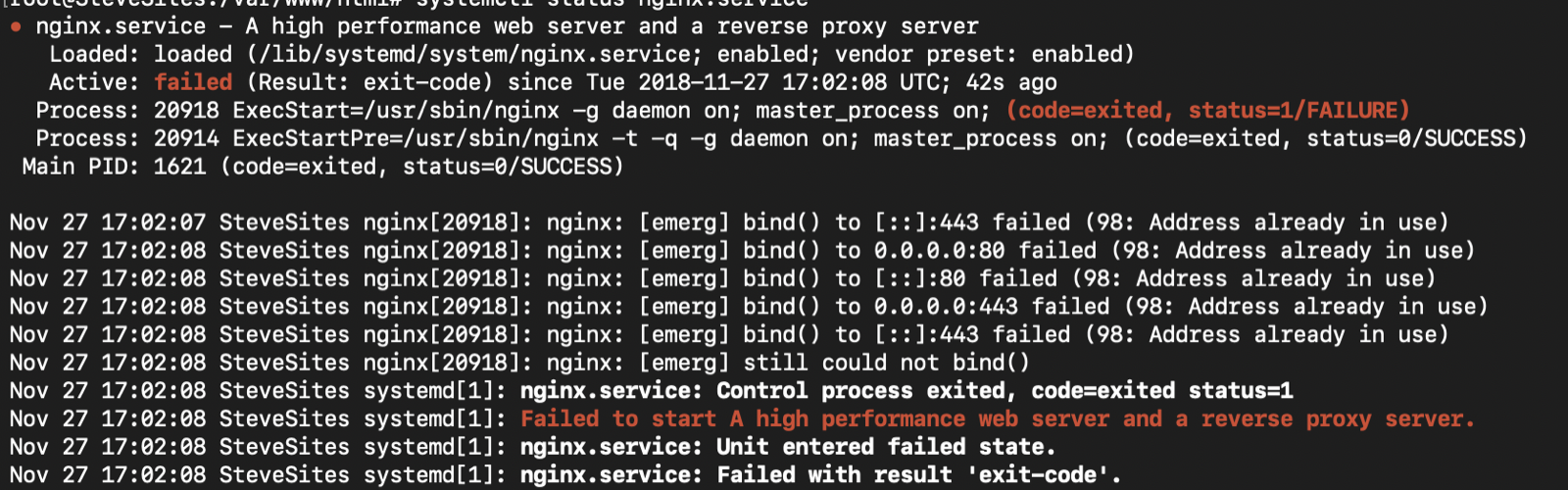
Nginx is unable to bind to 443
This offered a two line solution. This got nginx working.
sudo fuser -k 443/tcp
service nginx restart
The problem that I was experiencing with the letsencrypt might have had something to do with a conflict between ports on my server. The website's secure connection did get resolved.
I'm still concerned that what caused the problem initially could happen again because I don't know what the source of the problem was. So, this is something to discuss with someone when I have a chance.
--
Just a follow up the next morning... Again I got this error:
nginx: [emerg] bind() to [::]:443 failed (98: Address already in use.
Need to fix.
--
Fixing the problems was beyond my ability. I reached out to Ángel, shared my screen, and watched him identify and fix the issues.